Can You Play MK Mobile With a Controller? (2026 Guide)
This guide contains an affiliate link. If you buy through it we may earn a commission, at no extra cost to you.
It is one of the most common questions from MK Mobile players: can you plug in a controller and fight with real buttons instead of the touchscreen? The short answer is not officially - but on Android there is a workaround worth knowing about. Here is what works, what doesn't, and what to watch out for.
Does MK Mobile support controllers?
No. Mortal Kombat Mobile was designed around touch controls, and neither the App Store nor the Google Play listing mentions game controller support. In practice that means:
- There are no controller settings in the game - no button layout, no gamepad options - on iPhone, iPad or Android.
- Reports of it "just working" don't hold up. You can find forum posts claiming success with an Xbox or PlayStation pad, but they are anonymous, contradict each other and are often about other Mortal Kombat games (MK11 and MK1 on console and PC do support controllers).
Why the touchscreen is built in so deeply
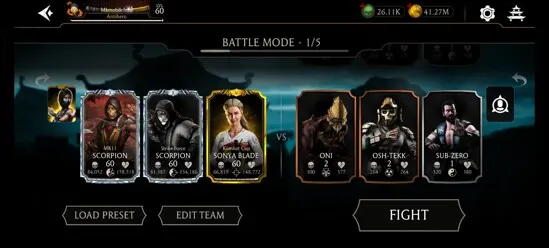
MK Mobile's fighting system is made of gestures rather than button inputs:
- Tap for basic attacks and to keep a combo going.
- Swipe for heavy attacks and combo enders.
- Hold with two fingers to block.
- Tap the special attack icons when your power bar is charged, and tap a teammate's portrait to tag them in.
Taps on fixed buttons are easy to recreate with a controller. Swipes and two-finger holds are not - and that is exactly where the workarounds below struggle.
The Android workaround: Razer Nexus Virtual Controller Mode
Razer's free Razer Nexus app has a feature called Virtual Controller Mode. It lets you place on-screen markers over a game's touch controls and assign each one to a controller button, so pressing a button "taps" the screen for you. Razer lists it for the Kishi V2, Kishi V2 Pro and Kishi Ultra on Android; it is not available on iPhone.
For MK Mobile, that means you can realistically map:
- basic attack taps,
- the special attack buttons,
- tag-in buttons for your teammates.
What you should not expect to work reliably are the swipes for heavy attacks and the two-finger block. Reviewers of Virtual Controller Mode found it works best in games whose on-screen controls stay in the same place, and less well in games built on gestures. Most players who try this end up with a hybrid: buttons for taps and specials, thumbs back on the screen for blocks and swipes.
Two more things to keep in mind:
- Check your controller and Android version. Feature support differs between Kishi models and needs up-to-date controller firmware and Nexus app versions - check Razer's Nexus page for your exact model before buying.
- Game rules. Razer itself notes that individual games may have their own rules about touchscreen remapping. MK Mobile is an online game, so read Warner Bros.' terms and use remapping at your own risk.
Is a mobile controller still worth it for MK Mobile players?
If MK Mobile is the only game you play, honestly - probably not yet: until NetherRealm adds native support, the touchscreen is still the most precise way to swipe and block.
A clip-on controller makes much more sense if you also play games that do support controllers - cloud gaming (Xbox Cloud Gaming, GeForce NOW), console Remote Play (where you can play Mortal Kombat 1 and MK11 from your console on your phone), emulators and the growing list of controller-ready mobile games. Clip-on controllers such as the Razer Kishi range connect straight to your phone's port, so there is no Bluetooth lag, and they turn your phone into a handheld console for all of those.
Quick answers
- Can I play MK Mobile with a PS5 or Xbox controller? Not officially - the game has no controller support on iPhone or Android.
- Is there any way to use buttons? On Android, Razer Nexus Virtual Controller Mode with a supported Kishi can map taps and special attacks to buttons. Swipes and blocking remain touch-only in practice.
- Will it get me banned? We don't know of any bans for this, but it is not an official feature - check the game's terms before using it.
- Will MK Mobile get controller support? There has been no announcement. We'll update this guide if that changes.
Have you found a controller setup that works well for you? Tell us through the contact page and we'll add your tips.